Next exercise of digital design is combine 2 kind of animal (class exercise)
Monday, July 8, 2013
Friday, July 5, 2013
Mineral Water (Ecercise)
Raw Image :
Process :
Final Result :
- - - - - - - - - - - - - - - - - - - - - - - - - - - - - - - - - - - - - -
Raw Image :
Final Result :
Thursday, July 4, 2013
Vodka Advertising Campaign (Exercise)
Week 2, i learned how to combine two or more images into one image and change the colour of them. Mr. Em sent us the image of water splash and the vodka, the purpose is to make the ordinary image become extraordinary image.
![]() |
| Step 1, choose brush with red colour, colour the bottle side. Then change the 'normal' to 'colour' |
![]() |
![]() |
| add the glass and repeat the step to make it and also add the colour to make it looks believable |
![]() |
| The Final Result |
Introduction (note)
Symbol :
1. Line
2. Shape
3. Form
4. Color
5. Typography
Campaign :
1. Commercial
2. PSA (Publice Service Announcement)
3. Cause
In Poster Campaign :
1. Title
2. Logo
3. Tagline
4. Sponsor logo
5. Logo Social Media (now)
Context :
Developing a Topic :
1. Line
2. Shape
3. Form
4. Color
5. Typography
Campaign :
1. Commercial
- Promote brand & comodities
- Individual (political candidates), group (corp)
- Traditional medium (Print, radio, TV, Online) as well as unconventional media & formats
2. PSA (Publice Service Announcement)
- Advertising that seves the public interest, run by non profit organisation or the government
- The objective of these ads are education or tha awareness of significant social issues in an effort to change the publics attitudes and behaviours
3. Cause
- Sponsored by corporations
- The goals is to raise funds for nonprofit organisation and is rin in paid media
- Cause advertising is affiliated with corporation's public personal or brand, CSR (Corporate Social Responsibility)
In Poster Campaign :
1. Title
2. Logo
3. Tagline
4. Sponsor logo
5. Logo Social Media (now)
Context :
- Social Cultural : Geopolitic, Demographic (Gender, Lifestyle), Geographic, Location
- Commercial : Budget, Diration, Target Audience
Developing a Topic :
- Pick a topic that you can (easily) relate
- Pick that will make you proud when doing it
- Pick a topic that will benefit the world (start locally)
Commercial, PSA, and Cause Campaign (References)
COMMERCIAL CAMPAIGN
JAJ
1. Colgate
Media : Print
2. Telkom Speedy
Media : Print
3. Media : TVC, click this link > Anador
TVC, click this link > Pantene
TVC, click this link > Toyota
PUBLIC SERVICE ANNOUNCEMENT CAMPAIGN
1. The only piece missing is you
Media : Print
2. Stop Bullying
Media : Print
3. Media : TVC, click this link > Make health last
TVC, click this link > Funny PSA
CAUSE CAMPAIGN
1. Nokia
Media : Print
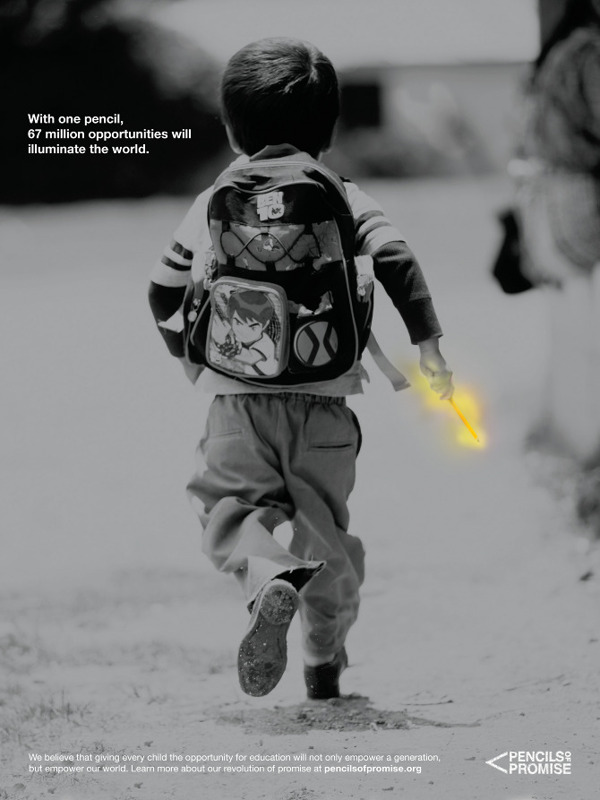
2. Pencil Promise
Media : Print
Tuesday, July 2, 2013
Marilyn Monroe - Coloring BW image
After corrected the color of images, we are challenged to coloring black and white image. Mr. Em gave us some of Marilyn Monroe photos in black and white. We started with this one. looks old and classy. I started with the biggest part of her body, skin. i did this in Photoshop CS6. i used quick mask (Q), selected her skin [don't forget to the set as black on white on color pallete]. Inverse (command+shift+i) to inverse the selected area. click channel, add layer mask, RGB, back to layers, create new fill or adjustment layer, choose solid colour, after you colored her skin, change 'normal' to 'color', also set the opacity. i heard that Marilyn's real hair color is brown, not yellow or white, but i think why not with neon yellow B) about the lips i colored it with the strong red, and her earrings also the same red as the expensive diamonds, HA! About her dress, i think no need to colored because the lips, earrings, eyebrow, hair already strong color, if i colored the dress with other colour, it will ruin her look. About the background, it is not okay with the hair and lips, when i see her i think she is glamour and everything that high-class so i fill the background with yellow bokeh, blur it little bit, and add black shadow as the vignetting to framing the image.
![]() |
| real image |
![]() | ||||
| colored the skin, hair, eyebrow, lips, teeth, and earrings |
![]() |
| real bokeh image |
![]() |
| add bokeh as the background |
![]() |
| the process from BW to glamour |
Happy glamour,
J A J
Monday, July 1, 2013
Color Correction
First meeting of Digital Deisgn Intermeiate, we started with colour correction. Believe it or not, colour has power to change the image look and feel. We tried some tools on Photoshop with the simple one, AUTO contrast, tone, and color because the original image looks little bit green.
Subscribe to:
Posts (Atom)


.jpg)